Use a sanitized example to follow the connection from scope to controls, evidence, and a reviewable handoff. Evaluate the workflow and your responsibilities together.
Before you open a workspace
CMMC Pulsar gives a contractor team a place to connect its scope, controls, documentation, evidence, and follow-up work. The public product tour shows how those pieces relate. This walkthrough explains what to look for and what your team should review as you evaluate the platform.
Plan scope: Some public-tour screenshots illustrate Level 2 or CUI examples. The $399/year offer is the Level 1 annual plan; confirm which features and workflows are included in your selected plan before purchase.
Start with three high-level questions: which contract requirement are you preparing for, what information will the business handle, and who can confirm how the actual environment operates? Resolve uncertainty about FCI or CUI with the appropriate information or contract owner. A software plan should follow that decision.
Choose one sanitized example, one accountable owner, and one evidence item. Follow them from scope through review. Judge the workflow by whether the next person can understand the reasoning and continue the work.
1. Use the Command Center to choose the next review
The Command Center screenshot shows projects, mapped controls, evidence review, and open findings together. Treat those indicators as prompts for investigation. Ask which records sit behind a number, who owns the next action, and when the supporting material was last checked.
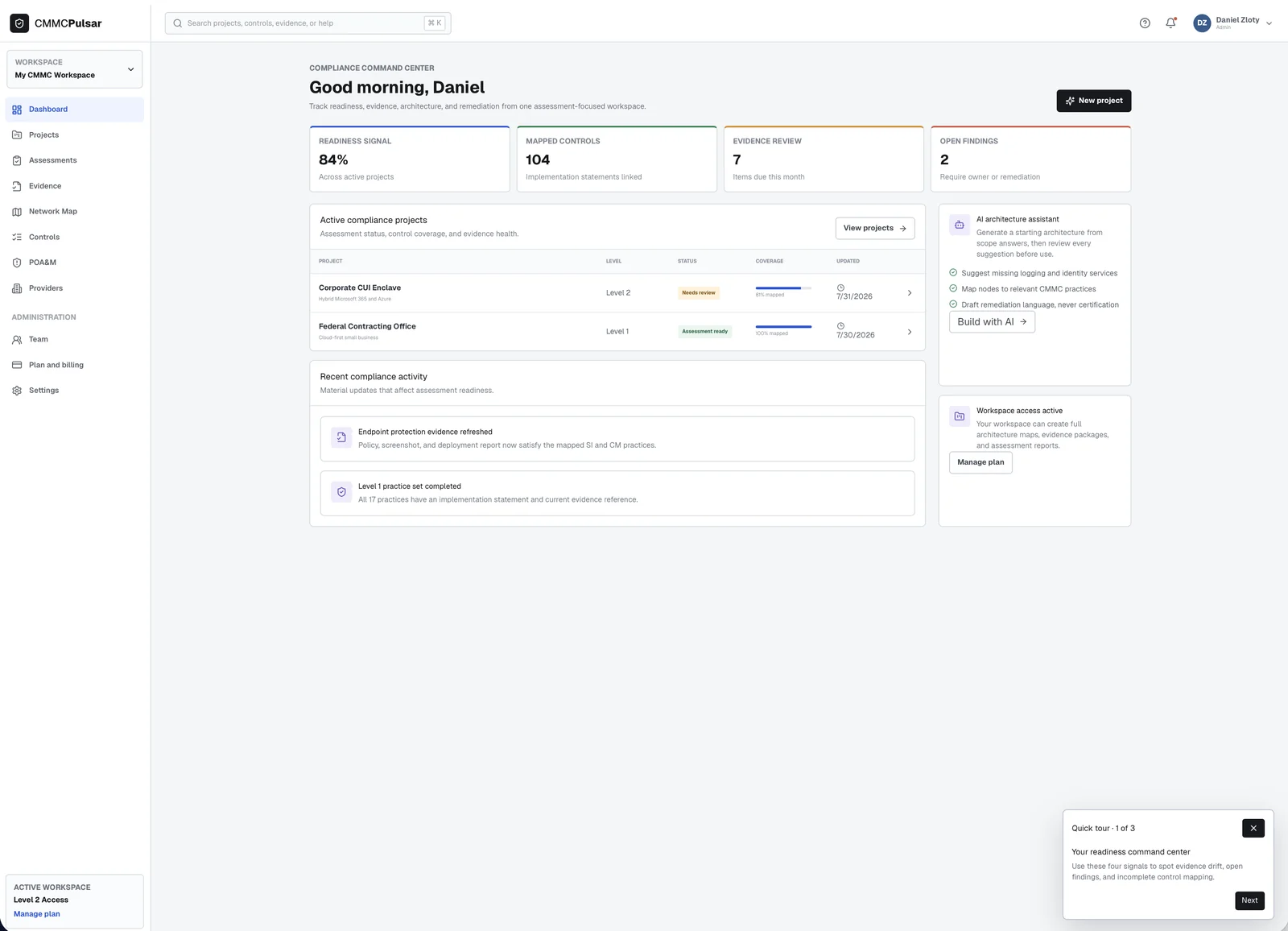
For a demonstration, ask to follow a single project into its controls and evidence. A useful test is whether a colleague can identify an outstanding item and its owner without a separate explanation. A progress indicator should never replace a review of the underlying implementation and evidence.
2. Compare the network diagram with the environment
The network canvas connects assets, boundaries, relationships, and details about the selected component. CMMC Pulsar’s public material describes AI-assisted architecture suggestions and diagrams. Your technical owner should review those suggestions against the real systems and information flows.
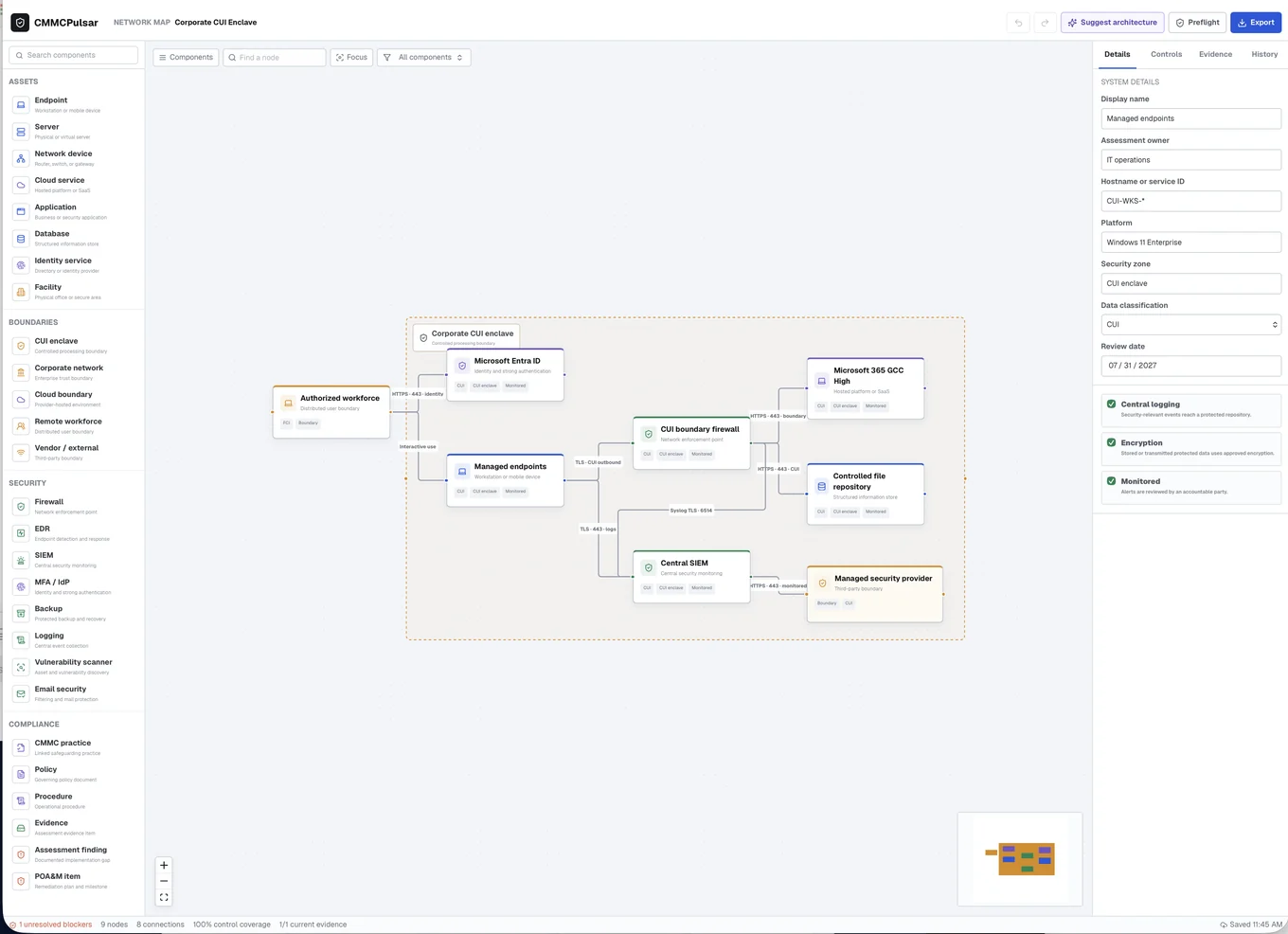
Check a specific route: an authorized user reaches a system, uses an application, and creates or accesses information. Does the drawing represent the actual identity service, endpoint, storage location, and provider? Record discrepancies as questions to resolve rather than treating a generated diagram as proof.
3. Review evidence with an owner and a date
The evidence-library screenshot displays an item, its type, its owner, a review date, and its status. That is a useful starting point for a review conversation: what does the item show, which requirement does it support, and is it still accurate for the assessed environment?
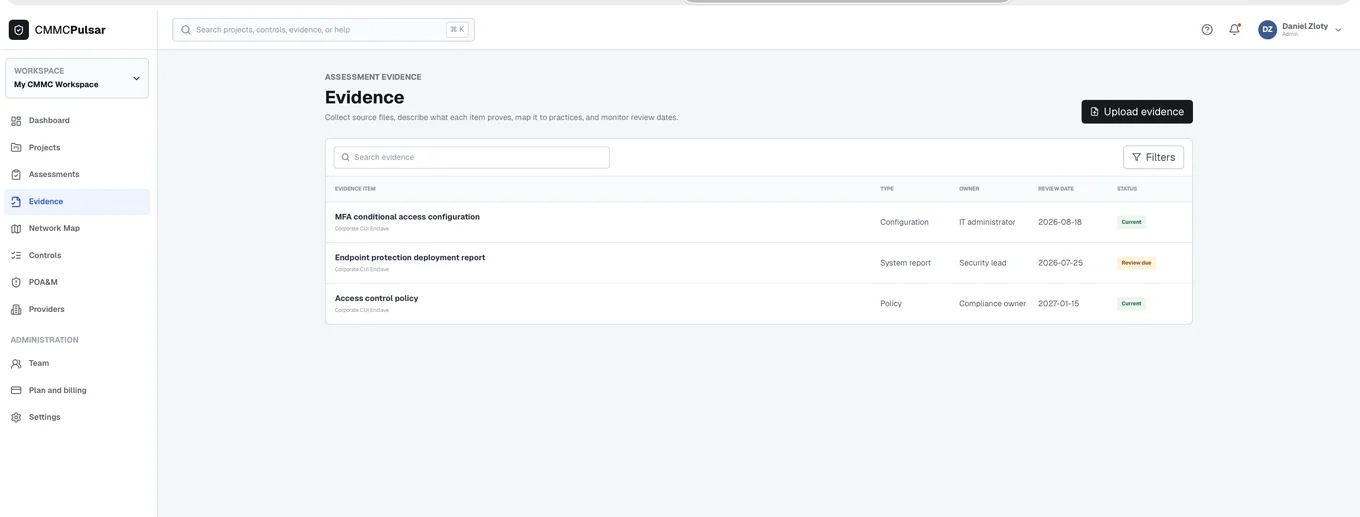
Use a sanitized artifact during a product demonstration. Ask how it connects to the relevant work, how the team identifies outdated support, and how a reviewer would understand the context. Agree on an approved channel before placing sensitive evidence into any workflow.
4. Finish with a handoff your team can explain
Before considering a workflow complete, ask another team member to explain the boundary, find the evidence reference, identify an unresolved action, and describe the next review. This practical check evaluates the working process without assuming that a software status establishes CMMC status.
Level 1 annual software starts at $399/year. For a defined professional engagement, FBP’s $3,000 Level 1 readiness support covers scoping, gap review, policy drafting, evidence organization, and preparation guidance. Software and professional services are separate; confirm current plan features and the proposed engagement scope before purchase.
Compare the software and service costs → · Prepare with the readiness worksheet →
Sources and product information
Product prices and descriptions were checked against the public pages on October 22, 2026. Suggested review steps and budget examples are illustrative working methods. Confirm current purchase terms and the proposed service scope.